If you are receiving an error that part of your Fulcrum LiveScan application has been blocked by Windows, please take the following steps.
- In the Windows Search Bar, type in Smart App
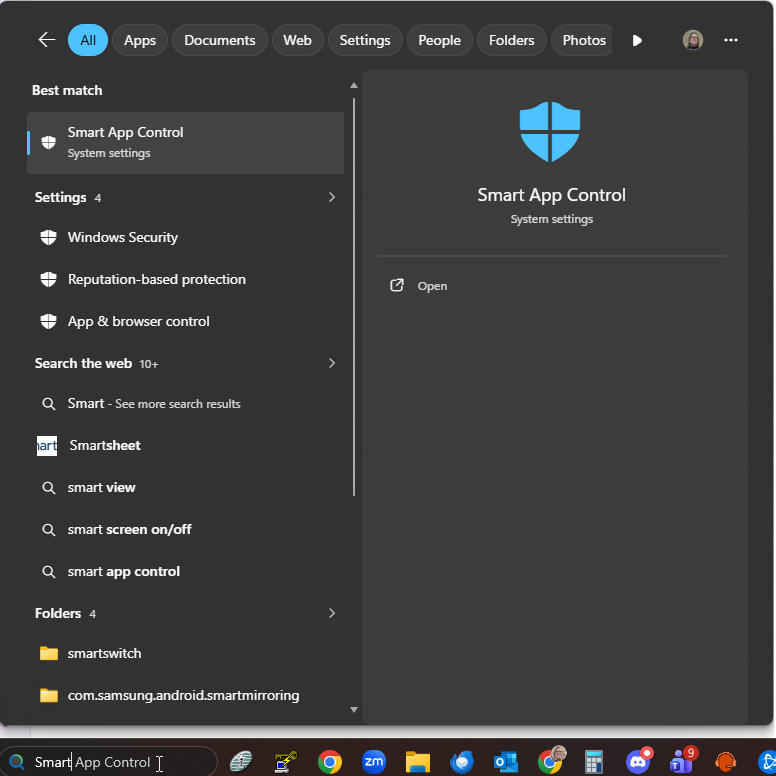
- Click on Open
- Change the Setting to Off
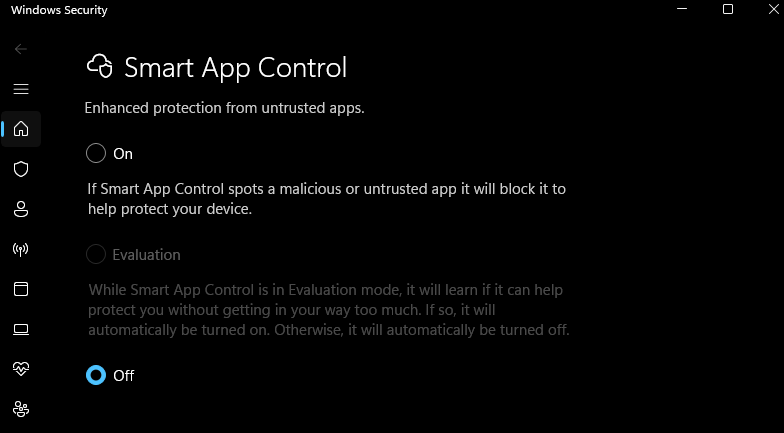
- Close the Window
- Restart the LiveScan Application
Was this article helpful?
That’s Great!
Thank you for your feedback
Sorry! We couldn't be helpful
Thank you for your feedback
Feedback sent
We appreciate your effort and will try to fix the article